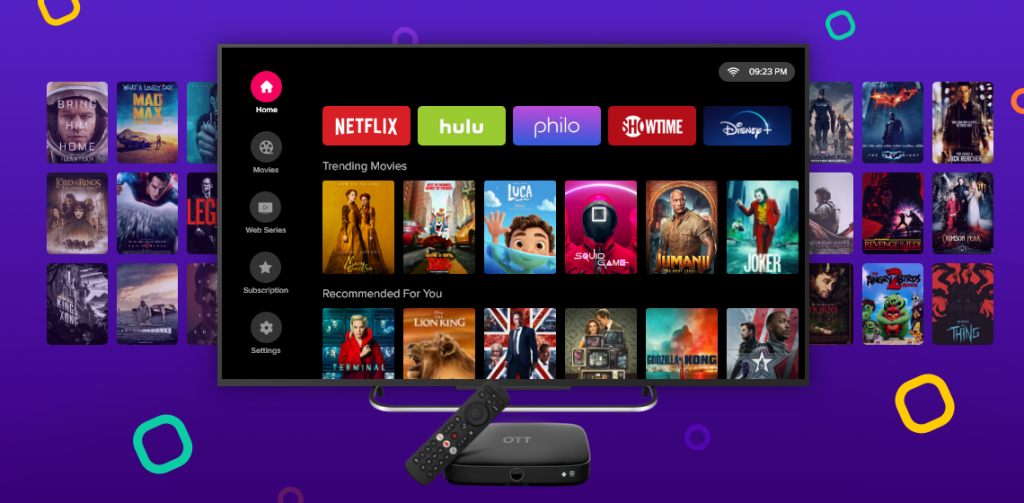
In the ever-growing world of IPTV and digital streaming, Android TV users are always on the lookout for reliable, intuitive, and feature-rich apps. One such contender gaining significant traction in 2025 is the Lemon TV app for Android TV.
Whether you’re a cord-cutter, a sports enthusiast, or just love binging TV shows, this app has a lot to offer. This detailed guide will walk you through its features, installation process, pros, cons, and much more.
What is Lemon TV?
Lemon TV is an IPTV platform that provides users access to live television, on-demand content, and more—directly through their Android-powered devices. It bridges the gap between traditional cable services and modern digital convenience.
With its sleek interface, robust channel lineup, and minimal buffering, Lemon TV has established itself as a favorite among Android TV users.
Features of Lemon TV App
Some of the standout features of the Lemon TV app for Android TV include:
- 📺 Live TV Streaming – Offers thousands of channels worldwide.
- 🎞️ Video-On-Demand (VOD) – Includes a rich library of movies, shows, and documentaries.
- 🌍 Multilingual Support – UI available in multiple languages.
- 📁 EPG Integration – Built-in Electronic Program Guide for scheduling.
- 🔒 Parental Controls – Manage what your kids can access.
- 💾 Cloud DVR Option – Save live shows or events for later.
- 🎮 Game Zone (New 2025 Feature) – Access to light cloud-based Android games.
These features make it a strong choice for people who want a consistent and high-quality streaming experience without relying on multiple platforms.
Compatibility with Android TV
One of the key selling points is that Lemon TV is fully compatible with Android TV. This includes:
- Google Chromecast with Google TV
- NVIDIA Shield
- Mi Box and Mi TV
- Sony Bravia Smart TVs
- TCL Android TVs
- Philips and Sharp Android TVs
There is no need for third-party emulators or APK sideloading, as Lemon TV supports native Android TV functionality.
How to Install Lemon TV App on Android TV
Follow these simple steps to get started:
Step-by-Step Installation:
- Power on your Android TV and connect it to the internet.
- Open Google Play Store.
- In the search bar, type “Lemon TV”.
- Click on the Lemon TV app and tap “Install.”
- Once installed, open the app and register or sign in.
- Choose your subscription plan or enter an activation code.
- You’re all set to stream!
📝 Pro Tip: Use a VPN for enhanced security and broader access if the app is geo-restricted in your region.
Benefits of Using Lemon TV on Android TV
Why should Android TV users consider Lemon TV?
- Seamless Experience: Android TV’s remote and interface integration is flawless.
- High Definition Quality: Many channels are available in Full HD or 4K.
- Low Buffering: Thanks to optimized server support.
- Budget Friendly: Far cheaper than traditional cable or satellite services.
- No Extra Hardware: Native compatibility means no set-top box needed.
Common Troubleshooting Tips
Having issues with your Lemon TV app for Android TV? Here are a few quick solutions:
| Problem | Solution |
|---|---|
| App Not Opening | Clear app cache and restart device. |
| Buffering Issues | Switch to a faster server or use VPN. |
| Login Failure | Double-check credentials or reset. |
| Channel Not Loading | Check subscription validity or reload. |
Lemon TV vs Other IPTV Services
Here’s how Lemon TV stacks up against its competitors in 2025:
| Feature | Lemon TV | Tivimate | IPTV Smarters | GSE Smart IPTV |
|---|---|---|---|---|
| Android TV Support | ✅ | ✅ | ✅ | ✅ |
| VOD Integration | ✅ | ❌ | ✅ | ✅ |
| EPG Support | ✅ | ✅ | ✅ | ✅ |
| Parental Controls | ✅ | ✅ | ✅ | ❌ |
| Cost Efficiency | ⭐⭐⭐⭐ | ⭐⭐⭐ | ⭐⭐⭐⭐ | ⭐⭐ |
Legal and Privacy Concerns
It’s important to understand that not all IPTV services operate within legal boundaries. Lemon TV claims to follow regional laws, but users must verify the legal standing of IPTV in their country before subscribing. Using a VPN is recommended for privacy and data protection.
Final Verdict & Conclusion
The Lemon TV app for Android TV is a powerful and flexible solution for users seeking high-quality streaming without the burden of traditional contracts. From live channels to on-demand content and gaming add-ons, Lemon TV offers a versatile media experience in 2025.
✅ Pros:
- Easy installation
- Rich content catalog
- Android TV optimized
⚠️ Cons:
- Legal grey areas in some countries
- Subscription costs vary
If you’re considering cutting the cord, Lemon TV is a competitive option worth exploring.
FAQs
Q1. Is Lemon TV app free?
👉 No, Lemon TV operates on a subscription model with various pricing plans.
Q2. Can I use Lemon TV without Android TV?
👉 Yes, it’s also available for Firestick, smartphones, and web browsers.
Q3. How often is the content updated?
👉 New movies and live channels are updated weekly.
Q4. Is Lemon TV legal in the UK/US?
👉 Legality depends on licensing. Check with your local laws.